
OpenClaw - Advanced Power User Playbook
TECHNOLOGYAI NEWS
2/3/202610 min read
Advanced Power User Playbook
You have a working bot. Congratulations. You're now the proud owner of an AI assistant that won't forget you exist every time you refresh the page.
But here's the thing: what you built in Part 2 is functional. It's not optimized. It's the AI equivalent of driving a Ferrari in first gear because you haven't figured out where the other gears are.
This is where you fix that.
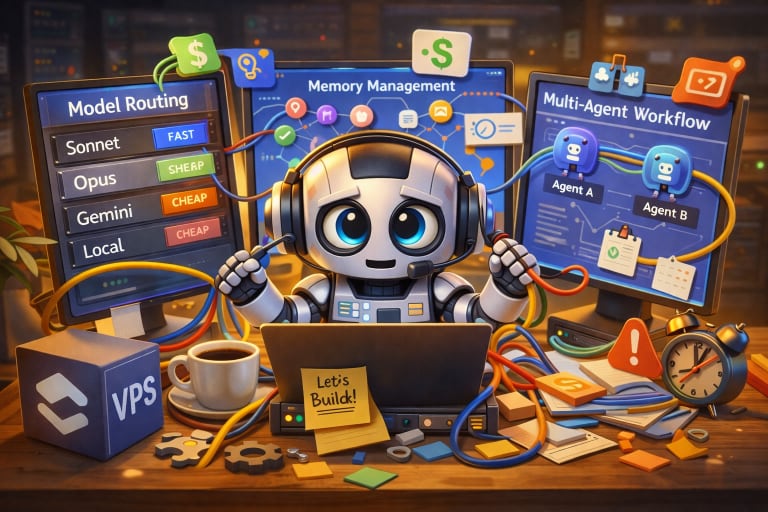
Part 3 is about turning your decent OpenClaw setup into something genuinely powerful. Model routing that slashes your API bills. Memory management that prevents your agent from drowning in its own notes. Multi-agent workflows that let you delegate complex tasks without babysitting every step. And enough troubleshooting advice to handle the weird failures that will absolutely happen at 2 AM when you're trying to automate something important.
Let's get into it.
Group-Level Memory and Parallel Contexts
Your agent has memory. Cool. But right now, it's dumping everything into one giant pile.
Work emails, personal todos, project notes, random questions about whether cats can taste spicy food. All mixed together in one context blob. That's fine for the first week. After a month, your agent will be trying to schedule meetings based on grocery lists because they can't tell the difference.
Solution: context isolation.
OpenClaw supports per-agent memory stores. You can run multiple agents with separate memory namespaces. Work bot. Personal bot. Project-specific bot. Each one gets its own memory files, its own conversation history, and its own understanding of what matters.
Why this matters: context bleed is real. Your agent learns patterns from everything you tell it. If you're mixing personal errands with client project details, the agent starts making associations that don't exist. It might suggest emailing your client about picking up milk. Or scheduling a dentist appointment during a product launch.
Funny in screenshots. Terrible in practice.
How to Set Up Parallel Agents
Each agent in OpenClaw gets a unique `agentId`. This ID controls memory isolation, skill access, and model configuration.
Create separate agent configs for different contexts:
Work agent: Accesses your work calendar, Slack, and project management tools. Knows about deadlines, client names, and team members.
Personal agent: Handles groceries, fitness tracking, and personal email. Knows your dietary restrictions and gym schedule.
Research agent: Scrapes web data, summarizes articles, and manages reading lists. Doesn't need access to your email or calendar.
Each agent runs in its own container or process. They don't share memory. They don't cross-contaminate context. They stay in their lane.
This isn't paranoia. This is basic information hygiene.
### Use Cases for Isolated Contexts
Projects: Spin up a new agent for each major project. When the project ends, archive the agent. Clean slate for the next one.
Teams: If you're sharing OpenClaw with coworkers, give each person their own agent instance. Otherwise, everyone's todos end up in the same pile, and chaos ensues.
Topics: Running a newsletter? Create an agent specifically for content research and drafting. Keep it separate from your personal assistant so it doesn't accidentally pull family details into your public posts.
Think of agents like browser profiles. You wouldn't use the same profile for work and personal browsing. The same logic applies here.
## Model Routing and Cost Strategy
Let's talk about money. Specifically, how much you're wasting.
If you're running OpenClaw with one model for everything, you're overpaying. Every task hits the same expensive model. Checking the weather? Claude Opus. Simple file lookup? Claude Opus. Heartbeat pings to keep the agent alive? Claude Opus.
That's like hiring a senior engineer to make coffee. Technically, they can do it. Economically, it's insane.
### Smart Routing: The Manual Approach
OpenClaw supports multi-model routing. You define which models handle which tasks. Complex reasoning gets routed to powerful models. Simple queries get routed to cheap ones.
Here's what most people run:
```json
agents: {
defaults: {
model: "anthropic/claude-opus-4-5"
}
}
```
One model. Everything. Expensive as hell.
Here's the optimized version:
```json
agents: {
defaults: {
model: {
primary: "anthropic/claude-opus-4-5",
fallbacks: [
"openai/gpt-5.2",
"anthropic/claude-sonnet-4.5"
]
},
heartbeatModel: "openrouter/deepseek/deepseek-chat",
subAgentModel: "anthropic/claude-sonnet-4.5"
}
}
```
Translation: Opus for main tasks. DeepSeek for heartbeats (because who cares if your ping message is eloquent). Sonnet for sub-agents that handle discrete subtasks.
Cost difference? Significant, often 30–60% reductio, depending on your workflow mix. Your mileage varies based on how many heartbeat pings, sub-agent calls, and complex reasoning tasks your setup generates.
Aliases for Manual Model Switching
You can define model aliases in your config for on-the-fly switching:
```json
modelAliases: {
"opus": "anthropic/claude-opus-4-5",
"sonnet": "anthropic/claude-sonnet-4.5",
"flash": "google/gemini-2.5-flash",
"ds": "openrouter/deepseek/deepseek-chat"
}
```
Now you can switch models mid-conversation:
- `/model sonnet` for general tasks
- `/model opus` when you need serious reasoning
- `/model ds` for quick lookups that don't need intelligence
This is brilliant for cost control. Working on something complex? Stay on Opus. Just checking if a file exists? Drop to DeepSeek, ask your question, then switch back.
No reason to burn money on trivial queries.
OpenRouter Auto: The Lazy Approach
If you don't want to manage routing manually, use OpenRouter's auto-routing.
Set your model to `openrouter/auto,` and OpenRouter analyzes each prompt's complexity, then routes it to the cheapest model capable of handling it.
Simple prompts go to cheap models. Complex ones go to capable models. Zero configuration.
The catch: less control. You're trusting OpenRouter's routing logic. Most of the time it's fine. Occasionally, it picks the wrong model, and you get a mediocre response.
For most users, auto-routing is good enough. If you're obsessive about model selection, go manual.
Fallback Chains for Resilience
APIs fail. Rate limits hit. Providers go down. Your agent shouldn't die because one API had a bad day.
Configure fallback chains:
```json
model: {
primary: "anthropic/claude-opus-4-5",
fallbacks: [
"openai/gpt-5.2",
"anthropic/claude-sonnet-4.5"
]
}
```
If Opus times out or returns an error, OpenClaw automatically retries with GPT-5.2. If that fails, it tries Sonnet. This gives you multi-provider resilience without manual intervention.
Costs slightly more in API key setup (you need accounts with multiple providers). Saves you when your primary provider is down, and you're trying to finish something urgent.
Blended Engines: Cloud vs Local
Cloud models are expensive but capable. Local models are free but require GPU resources.
OpenClaw supports both.
Run Ollama locally for cheap tasks. Use cloud APIs for hard ones. Best of both worlds.
Example config:
```json
models: {
"ollama/llama3.3:70b": {},
"anthropic/claude-opus-4-5": {}
}
```
Route simple queries to Llama locally. Route complex reasoning to Opus in the cloud.
This works great if you have spare compute. If your VPS is already maxed on CPU, stick to cloud models. Don't burn money on a bigger server just to save on API costs. Do the math first.
Self-Audits and Health Checks
Your agent is running. Great. But is it healthy?
Memory stores grow. Skills accumulate. Log files expand. Without maintenance, your agent becomes a digital hoarder, unable to clean up after itself.
What a Health Check Is
OpenClaw provides diagnostic commands that tell you what's happening inside your agent. The CLI includes several health-checking tools, including `openclaw status`, `openclaw doctor`, and `openclaw health`.
A basic status check:
```
openclaw status
```
You get a summary: gateway reachability, linked channels, active sessions, and recent activity.
For deeper diagnostics config validation, memory store size, skill load status, API connection health check `openclaw status --help` for available flags, as the CLI evolves between releases.
If something is broken, these commands tell you where it is. If everything is fine, you get confirmation that you're not running blind.
Memory Hygiene
OpenClaw's memory system uses a mix of local databases, Markdown files (like `MEMORY.md`), and vector embeddings via LanceDB. Every conversation gets indexed. Every file you tell it to remember gets chunked and embedded.
This is powerful. It's also how you end up with a multi-gigabyte memory store after six months because you never cleaned anything up.
Pre-compaction flush: OpenClaw automatically transfers important context to long-term memory before truncating conversation history. This prevents data loss when context windows get too large.
But it doesn't delete old, irrelevant memories. That's your job.
Periodically audit your memory files:
```
ls -lh ~/.openclaw/agents/<agentId>/memory/
```
Check file sizes. If `MEMORY.md` is 50 MB, you've got a problem.
Manual cleanup: Review old memories and delete the ones that are no longer relevant. Your agent doesn't need to remember a project from 2024 if it ended months ago.
Session isolation: Use separate agents for different projects so you can archive entire memory stores when each project completes.
Think of memory like a filing cabinet. If you never throw anything away, you'll spend more time searching than working.
Skill Drift
Skills break. APIs change. Services get deprecated. A skill that worked perfectly three months ago might silently fail today because the underlying API updated.
Symptom: Your agent says it completed a task, but nothing actually happened.
Cause: The skill's API call is returning errors, but the agent isn't parsing the error correctly.
Fix: Test your skills manually. Check logs for API errors. Update skill configs when providers change their endpoints.
Most skill repositories include version tags. Pin to specific versions so updates don't unexpectedly break your workflows.
### Tool Fail Queues
When a tool execution fails, OpenClaw logs the error. But if you're not reading logs, you'll never know.
Set up a fail queue. Configure your agent to message you when critical tools fail repeatedly.
Example: If your email skill fails five times in an hour, send a notification. Don't wait until you realize emails haven't been processed for three days.
This is production ops 101. Monitor what matters. Alert on failures. Fix before things break catastrophically.
Multi-Agent Patterns and IDE-Assisted Workflows
Single-agent workflows are fine for simple tasks. Multi-agent workflows are where things get interesting.
Coding Agent Patterns
One of the more compelling multi-agent use cases is developer workflow automation. OpenClaw can spawn sub-agents to handle different parts of a coding task in parallel, writing code, generating tests, reviewing for bugs, updating documentation, each working in a fresh context window with no cross-contamination.
The pattern works regardless of your editor setup. If you're using an AI-aware IDE like Cursor alongside OpenClaw, you can layer the two: Cursor handles inline completions and file-level edits while OpenClaw orchestrates the broader workflow, coordinating agents, managing context, and pushing results across tools.
This isn't a native integration in the plugin sense. It's a workflow pattern. OpenClaw handles orchestration and delegation; your IDE handles the editing surface. The combination is more powerful than either alone.
The key insight here is what you might call a delegation floor, the minimum viable task you're willing to hand off entirely. When sub-agents handle discrete, well-scoped subtasks (write this test, review this diff, update this doc), the delegation floor drops significantly. You're not micromanaging each step. You're describing the goal and letting the agents figure out execution.
Chains vs Trees
Chain workflows: One agent completes a task, passes the result to the next agent, who completes their task, and so on. Linear. Sequential. Simple.
Example: Scrape article → summarize it → post summary to Slack.
Tree workflows: One agent spawns multiple sub-agents that work in parallel, then aggregates their results.
Example: Research five competitors, each sub-agent handles one competitor main agent compiles the findings into a report.
Trees are faster but harder to coordinate. Chains are slower but easier to debug.
Pick based on task complexity. Don't over-engineer.
Practical Patterns
Summarization: The main agent fetches 10 articles. Spawns 10 sub-agents to summarize them in parallel. Aggregates summaries into one digest.
Search and synthesis: The main agent queries multiple sources. Sub-agents extract relevant data. The main agent combines everything into a coherent answer.
Mail and calendar juggling: Main agent reads your inbox, identifies meeting requests, spawns sub-agents to check calendar availability, draft responses, and send confirmations.
This is where agentic AI starts to feel like actual delegation rather than fancy autocomplete.
Ecosystem Glue: API Patterns
Most real-world workflows require connecting to external services. Email, calendars, databases, payment processors, analytics platforms. OpenClaw needs to talk to all of them.
Wrapping Legacy APIs
Many APIs were designed before AI agents existed. They expect specific authentication flows, precise payload structures, and rigid error handling.
Your agent doesn't naturally speak that language. You need wrapper skills.
A wrapper skill translates between natural language instructions and API-specific calls. The agent says, "Send this email." The wrapper formats it into the correct SMTP or Gmail API request.
In OpenClaw, this typically means creating a skill with tool definitions that map to specific API endpoints, handling auth headers, payload formatting, and response parsing so the agent only deals in plain language. Most community skill repos include wrappers for common services. Use them. Don't reinvent authentication logic for the 47th time.
Session Tokens and Rate Limiting
APIs rate-limit. If your agent makes too many requests too quickly, it gets blocked.
Exponential backoff: When a request fails due to rate limiting, wait before retrying. Double the wait time on each subsequent failure.
OpenClaw can handle this automatically if you configure retry logic in your skills.
Proactive delay: If you're constantly hitting rate limits, add a delay between requests. Calculate your rate limit (e.g., 20 requests per minute), add a 3-second delay per request. Stays under the limit without triggering failures.
Session tokens expire. Your agent needs to handle re-authentication without breaking workflows.
OAuth flows are brutal for agents. Use service accounts or API keys when possible. Save yourself the headache.
Fault Tolerance
APIs fail. Networks drop. Servers time out. Your agent needs to handle this gracefully.
Retry logic: Attempt the request multiple times before giving up.
Fallback strategies: If one API is down, try an alternative. If Gmail API fails, fall back to SMTP.
User notification: If a critical task fails after retries, tell the user. Don't silently fail and leave them wondering why nothing happened.
Fault tolerance is the difference between an agent that works 90% of the time (useless) and one that works 99.9% of the time (actually useful).
You're No Longer a Beginner
If you've implemented even half of what's in this post, your OpenClaw setup is better than 90% of deployments.
You're routing models to cut costs. You're isolating contexts to prevent memory bleed. You're running health checks to catch issues before they cascade. You're delegating complex tasks across multiple agents instead of micromanaging prompts.
That's not beginner territory anymore. That's power-user status.
But here's the thing: OpenClaw is powerful, and power without guardrails is how you accidentally give an AI access to production databases at 3 AM and wake up to chaos.
Part 4 covers the unsexy but critical stuff: security, ethics, and how to not accidentally turn your assistant into a liability. Prompt injection attacks. Trust boundaries. Privacy controls. The things that matter when your agent is doing real work with real consequences.
Because right now, your agent is capable. In Part 4, we make it responsible.
For now, just sit with this: You've built something genuinely useful. An AI that remembers, learns, and executes. One that runs on your infrastructure, with your rules, under your control.
Most people never get here. You did.
Now go automate something ridiculous and enjoy it.